 .
.Cash Receipts Entry - Cash Receipts Future Interest Owed Window
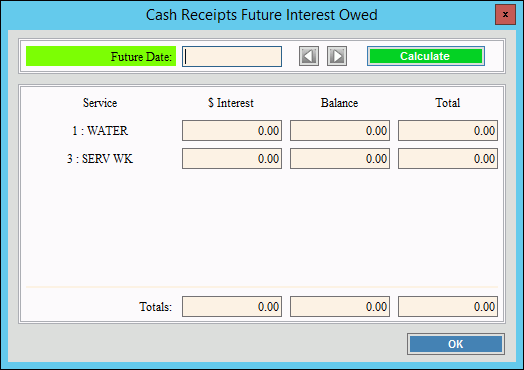
Use the Cash Receipts Future Interest Owed window to calculate future daily interest on open invoice balances for a customer. If a customer inquires as to what they will owe for a total payment including interest if they pay on a date in the future, you can use this screen to calculate the interest and the total payment that will be due on the specified date. The Future Interest Owed window will take into account any partial payments on invoices that have already been assessed interest.
To display the Cash Receipts Future Interest Owed Window, open Cash
Receipts Entry. Retrieve the customer account and click Future Interest .
Cash Receipts Entry Window Example:
Cash Receipts Entry - Cash Receipts Future Interest Owed Window Prompts
|
|
Future Date |
Enter the date in the future that the customer wants to make a payment. (mmddccyy) |
|
To calculate future interest on the balances, click Calculate or press [ENTER]. The interest for each service balance is calculated and added to the balance for a total amount that will be due on that date. |
|
To close the window when finished, click OK. |

