 CAUTION
Normally, this information is maintained
by Payroll. Do not use this routine unless instructed to
by NDS Support.
Delete Check Register Flag
Use the Delete Check Register Flag to reset the flag that controls the generation of the Payroll Check Register. If the generation of the check register stops and can't be restarted, use this routine to reset the flag. Then, the register can be run again.
Normally, this information is maintained
by Payroll. Do not use this routine unless instructed to
by NDS Support. |
Directions:
To open click Utilities from the Menu. Then,click Misc Utilities and click Delete Check Register Flag.
Delete Check Register Flag Window Example:
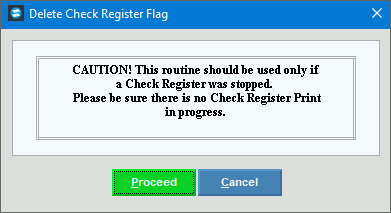
Delete Check Register Flag Options
|
|
|
To delete the check register flag, click Proceed or press [ENTER]. Keyboard shortcut: [ALT + p] To close the window without updating
the data, click Cancel Keyboard shortcut: [ALT + c] |
Completion |
The message: Check Register Flag is deleted is displayed when finished. Click Close
|

 .
. to close the screen.