Payroll Check Purge
Use the Payroll Check Purge to to delete all checks marked as Deleted or Voided. The purge can be run anytime there are non-outstanding checks.
Directions:
To open click Utilities from
the Menu. Then, click
PR Check Reconciliation and
click Purge.
Or, use the keyboard
shortcut: [ALT] [t] [p] [p].
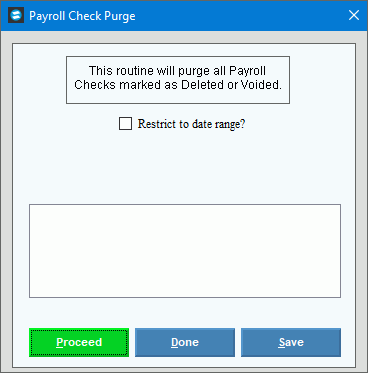
Payroll Check Purge Window Example:
Payroll Checks Purge Options
|
|
Restrict to date range? |
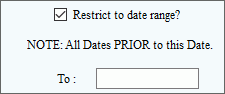
To limit the removal of checks to those prior to a specified date, check this box. To remove all checks in the reconciliation file, leave this box unchecked. If Restrict to date range is checked, the following option is displayed:
Enter the date that all checks prior to the entered date will be removed from the reconciliation file. (mmddyy) |
|
To run the routine and generate the report, click Proceed or press [ENTER]. Keyboard shortcut: [ALT + p] To escape from the routine, click Cancel Keyboard shortcut: [ALT + c] |
Process Status |
|

 .
.