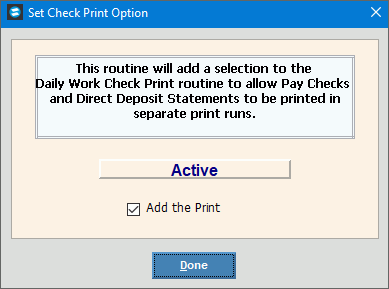
Set Check Print Option
Use Set Check Print Option to add an option to the Print Payroll Checks screen for printing direct deposit statements and paychecks separately. If this feature is active, you can choose to print payroll checks separate from direct deposit statements, allowing you to use different paper for each run. In general, Northern Data Systems staff will help you set this feature.
Note: If the Set Check Print option is active and you do not select the box to print DD statements on the Print Payroll Checks screen, then both direct deposit statements and payroll checks will print together on the same paper.
Directions:
To open click Utilities from the menu, and next click Miscellaneous Utilities; then click Set Check Print Option.
Set Check Print Option Window Example:
Set Check Print Option |
|
Add the Print |
To activate the option to print direct deposit statements and payroll checks separately, check this box. |
|
To complete the activation, click Done. Keyboard shortcut: [ALT + d] |
