Year-End Post Closing Entries
Use the Year-End Post Closing Entries routine to update the Account
from the journal entry transactions created
by the Clear and Close Accounts
routine for the closing Period (usually Period 14). When the routine
finishes, the post report prints the totals and any errors that occurred.
Also called: Update Closing
Entries, Post Closing Entries
Tips:
For information
about the sequence of running the Year-End steps, refer to the General Ledger
Runbook.
The post
report is also known as the Post
Journal Entries Report and
the Closing Post Report.
A copy of
the post report is maintained in Report History for an audit trail.
If you see
the following message, then you may have already run the post or you
are running it out of sequence. If you need additional help,
contact NDS Support.

Before running
this routine, print the Year-End
Journal Listing and confirm that every expense account is cleared
and closed.
If necessary,
you can re-run the post for a period without duplicating the updates
of the previously posted journal entry transactions. However,
NDS Support may first need to reset
the Year-End flag.
Directions:
To open click Year-End from
the menu. Next click
Post Closing Entries.
Tip: Or, use the keyboard shortcut: [ALT]
[y] [l].
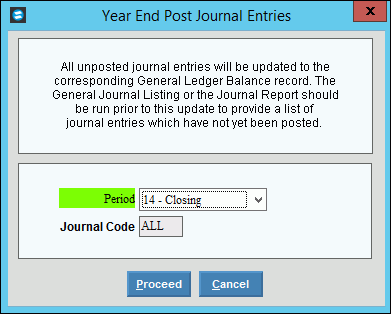
Year-End Post Journal
Entries Options
|
|
Select the period that you want to
post from the drop-down list. (predefined)
Note:
Enter the same Period used for the Clear
and Close Accounts routine, which is usually Period 14. |
|
Displays ALL
to indicate that all journal codes will be posted. |

|
To run the routine and begin printing
to the Windows® default printer, click
Proceed, or press [ENTER].
Keyboard shortcut: [ALT + p] |

|
To escape from the routine, click
Cancel.
Keyboard shortcut: [ALT
+ c]
Tip:
Or, click Close  . . |
Processing |
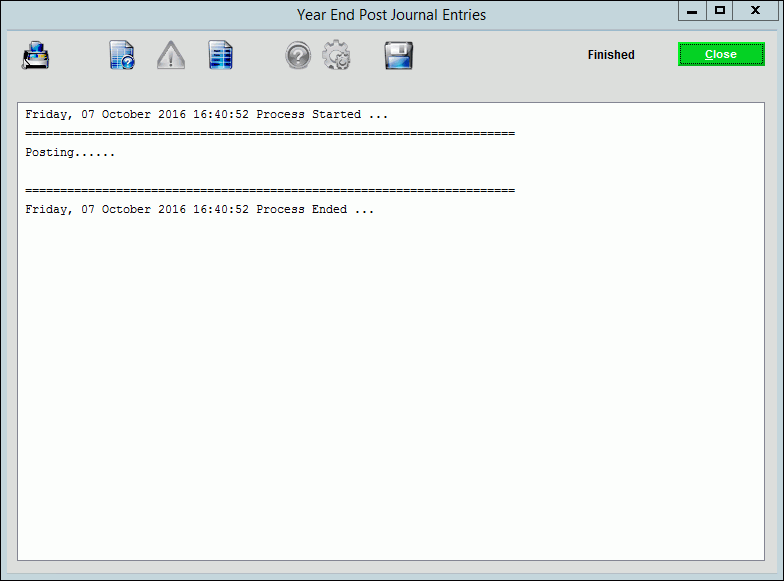
As the Posting routine progresses,
process messages display.
Note:
Posting messages can be printed and saved if desired.
For information on running reports, see Print
View.
|

|
When the routine is complete, Finished displays. Click
Close to close the window. |
Opening Year-End Post Closing Entries,
click More.
Choosing the selections at the prompt
window, click More.
Report Sample(s),
click More.