.
.Merge Payroll Checks
Use Merge Payroll Checks to merge multiple payroll checks into a single check for an employee before printing the payroll checks. If you do not use the Merge Checks functions, please skip this step.
Tips:
You can run Merge Payroll Checks multiple times, if needed.
Paychecks for prepaid checks, reverse checks, and other negative checks are not merged.
The merge does not alter the calculations for deductions and net pay.
NDS recommends that you run the Payroll Check Edit Register both before and after running Merge Payroll Checks. For timing guidelines, refer to the Payroll Runbook.
To see an example of the report, click Merge Payroll Checks.
Directions:
From Payroll Processing, select Merge
Checks .
Merge Payroll Checks Window Example:
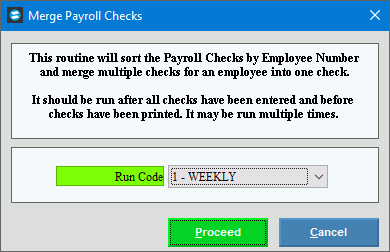
Merge Payroll Checks Prompt Options |
|
Click the appropriate Run Code in the list. (predefined) Tips:
|
|
|
To start the Merge Payroll Checks process, click Proceed, or press [ENTER]. Keyboard shortcut: [ALT + p] Or, to escape from the merge routine,
click Cancel |
Completion |
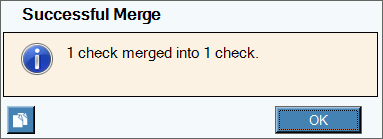
When the merge completes, a summary message displays to notify you as to the number of checks that were merged. To close the window, click OK.
|



 .
.